
Example · Restart Debt
36,482 endpoint-hours
awaiting completion of required maintenance across a sample fleet. How long endpoints remain in a restart-required state. Not “36,482 hours of active vulnerability.”
Native ConnectWise Automate plugin
Installed isn't always the same as protected.
Reboot IQ identifies endpoints still waiting on a restart after patching, explains why, and lets technicians schedule, automate, and verify the reboot — directly inside ConnectWise Automate.
Reboot IQ is a native ConnectWise Automate plugin for finding, explaining, scheduling, and verifying pending reboots across managed endpoints. Built for MSPs and co-managed IT teams, it closes the gap between patch installation and the restart that completes remediation.
Native Automate plugin · No separate endpoint agent · Built for MSP and Co-Managed IT workflows
14+ reboot signals
Native to Automate
True local-time scheduling
Co-Managed permission scoping
No separate endpoint agent
The operational gap
An update can install successfully and still leave the restart pending. Until that reboot happens, vulnerable components and services may still be active. Automate's native PendingReboot flag is one signal, and it misses causes such as pending file renames, component servicing, and post-install markers.
Across clients and time zones, that becomes a hidden remediation backlog: machines that look patched, with no live view of how long they have been waiting or a purpose-built way to finish the job.
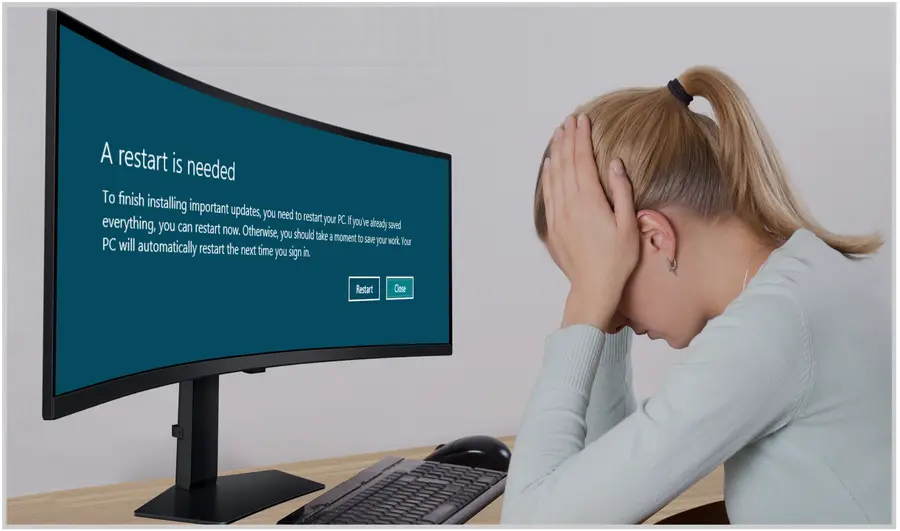
Users Postpone Restarts
 Patch deployed
 Install succeeds
 Reboot still required
 Remediation incomplete
Reboot IQ is the step that moves a machine out of that incomplete state and verifies the restart.
Why the restart matters
Select a card to see why the figure matters in daily operations.
Vulnerability exploitation is a major breach entry point
When remediation is incomplete, known weaknesses can remain exposed longer than intended.
Vulnerability exploitation remains a major path into organizations. When a patch still requires a restart, technicians need a way to distinguish “installed” from “finished.” Reboot IQ keeps those endpoints visible until the maintenance step is completed and verified.
31% is a general Verizon DBIR breach statistic. It does not claim missed reboots caused those incidents.
Known-exploited vulnerabilities can remain open for weeks
The longer remediation remains unfinished, the longer uncertainty remains in the fleet.
Known-exploited vulnerabilities can remain unresolved for weeks. Reboot IQ does not measure that 43-day remediation clock. It keeps machines that still require a restart visible until the work is completed.
See the cause. See how long it has waited. Schedule the restart. Verify completion.
43 days is the cited median for known-exploited vulnerabilities, not a restart timer.
Many successful intrusions begin with a known exploit
Closing the final step of remediation matters because attackers do not wait for maintenance windows.
A meaningful share of successful intrusions begins with exploitation of a known weakness. Reboot IQ helps teams avoid treating “patch installed” as the end of the story by surfacing systems whose remediation still requires a restart.
32% describes known exploit entry points in the cited M-Trends dataset. It is not a reboot-specific breach statistic.
Attackers are exploiting vulnerabilities faster
Observed time from patch availability to exploitation has fallen dramatically.
Observed exploitation has accelerated from months to days. That makes visibility into unfinished maintenance increasingly important. Reboot IQ keeps restart-required systems in view so they can be acted on and verified instead of quietly aging in the background.
The 63 / 44 / 32 / 5-day timeline describes observed exploitation speed, not restart delay.
Reboot IQ closes the gap between “installed” and “verified.” A pending reboot is a system state, not proof that a breach is underway.
of employees surveyed said they lost unsaved work when a PC restarted for an update.
Kaspersky surveyof operators said their most recent major outage cost more than $100,000.
Uptime Institute 2025Average U.S. data breach cost. The scale of a breach, not a cost caused by one missed reboot.
IBM 2025The workflow
01 Detect
14+ independent signals, aging buckets, fleet risk, and missing or failed patch detail.
02 Explain
Windows Update, pending file rename, component servicing, domain join, and how long it has been waiting.
03 Act
Reboot now with an end-user message, local-time schedules, bulk actions, and maintenance policy.
04 Verify
History, calendar, audit log, and reboot event trail show what happened, when, and who acted.
The product
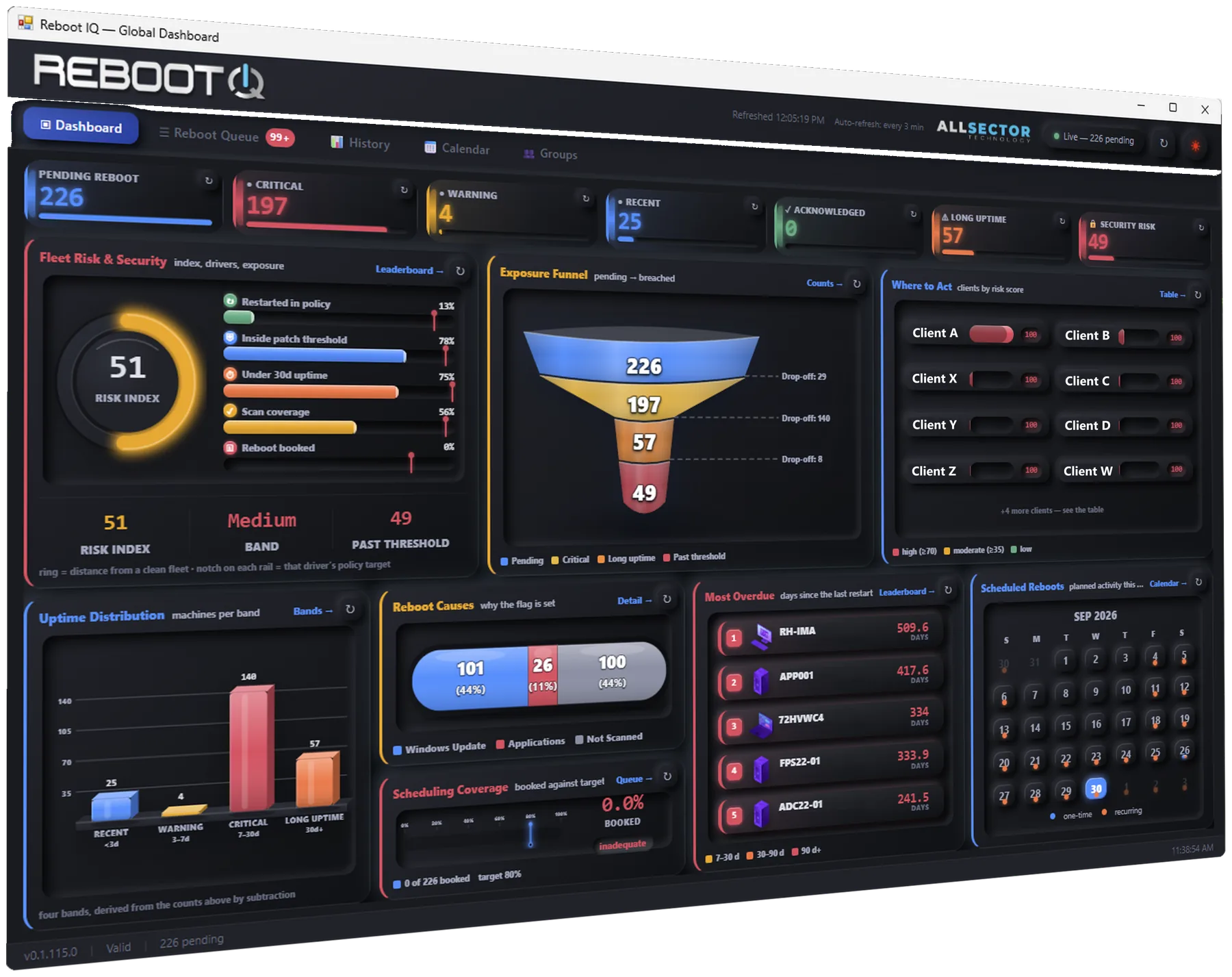
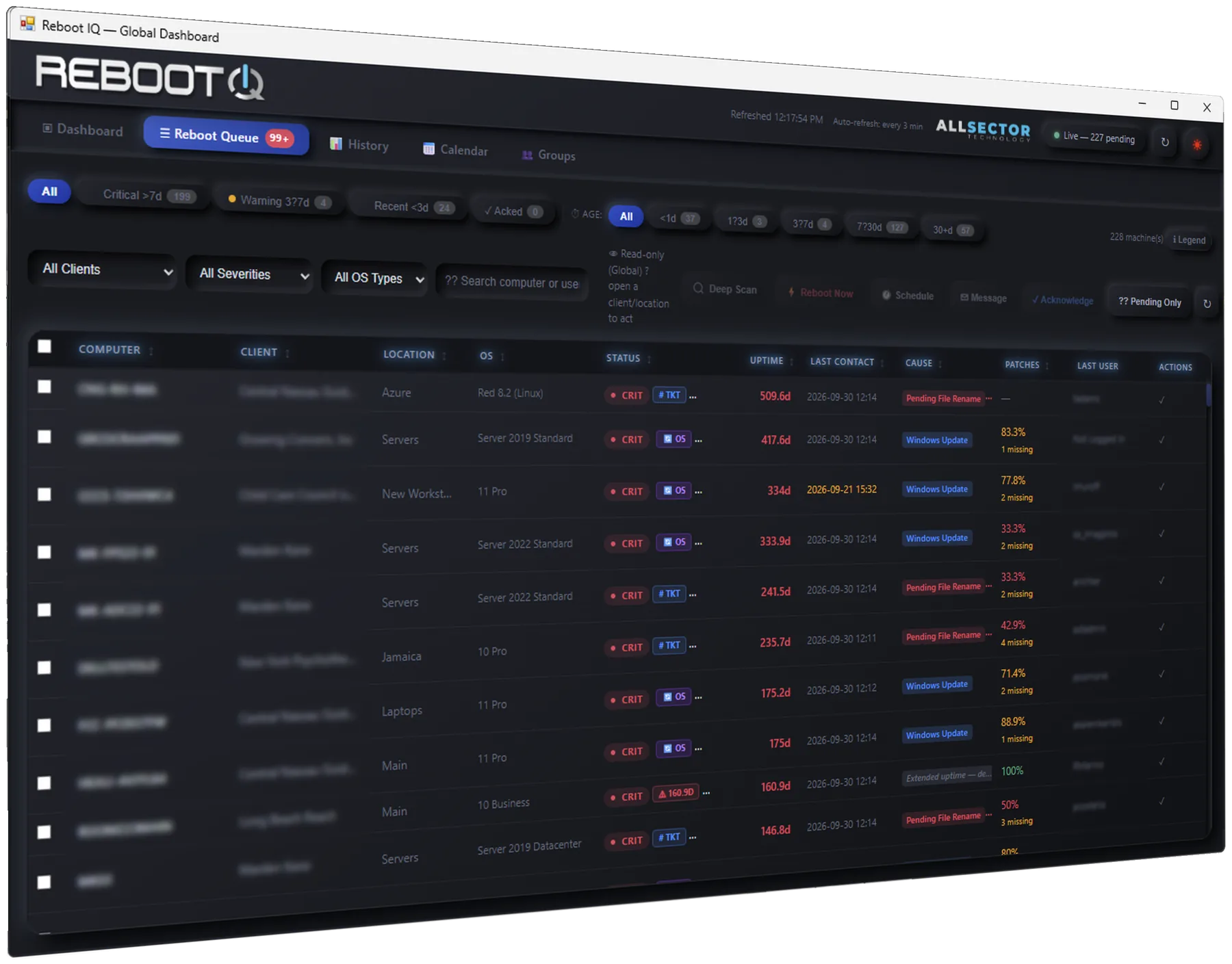
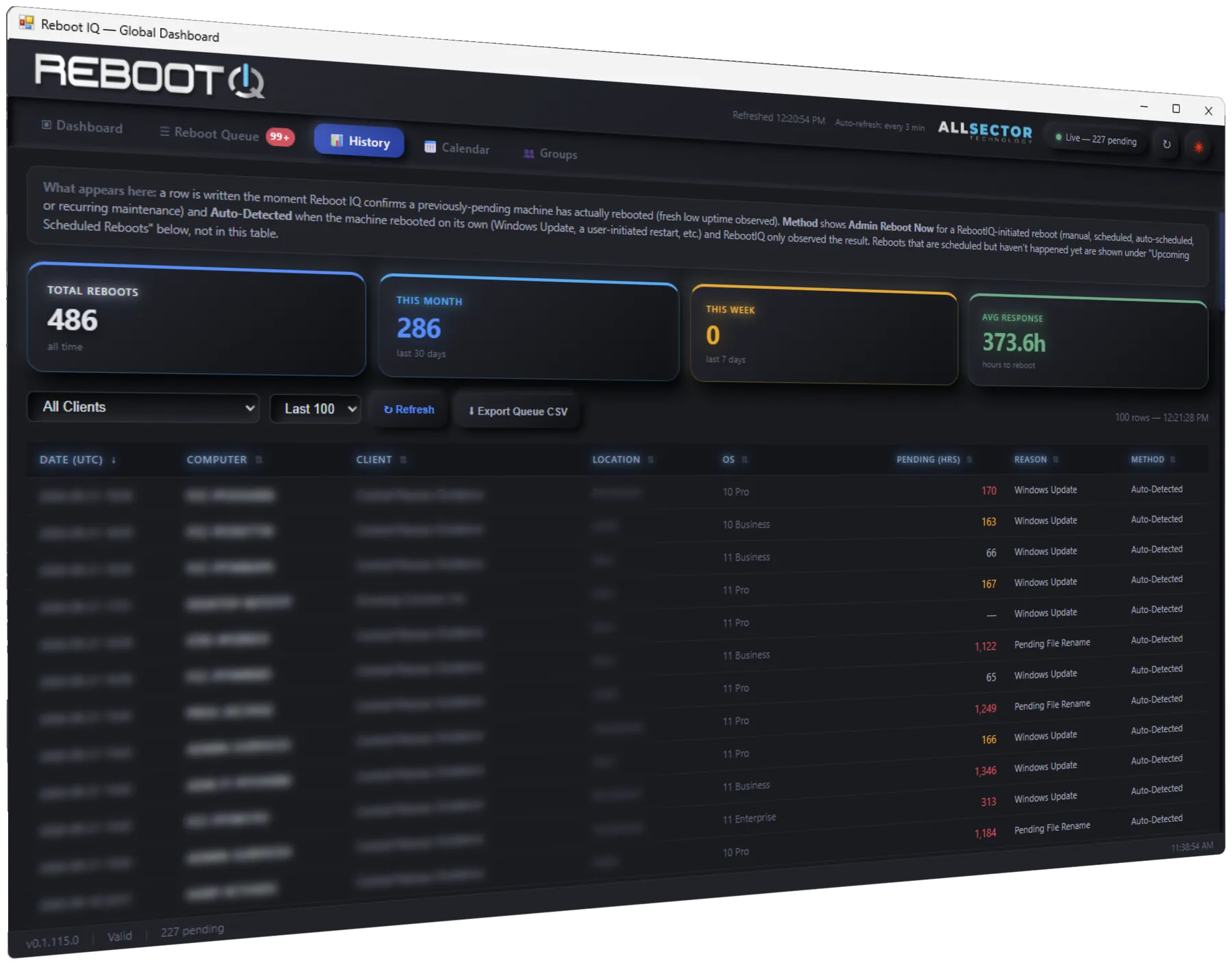
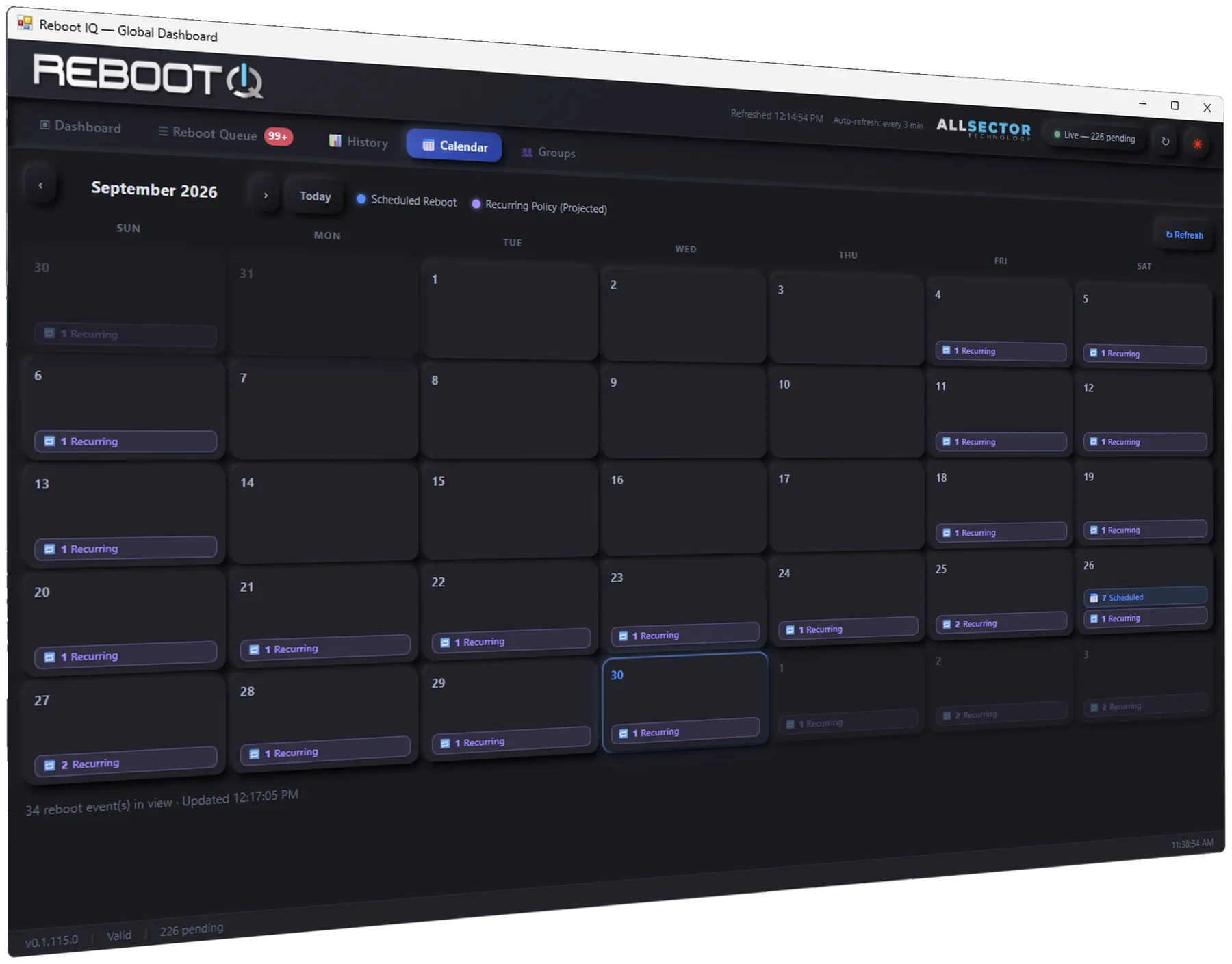
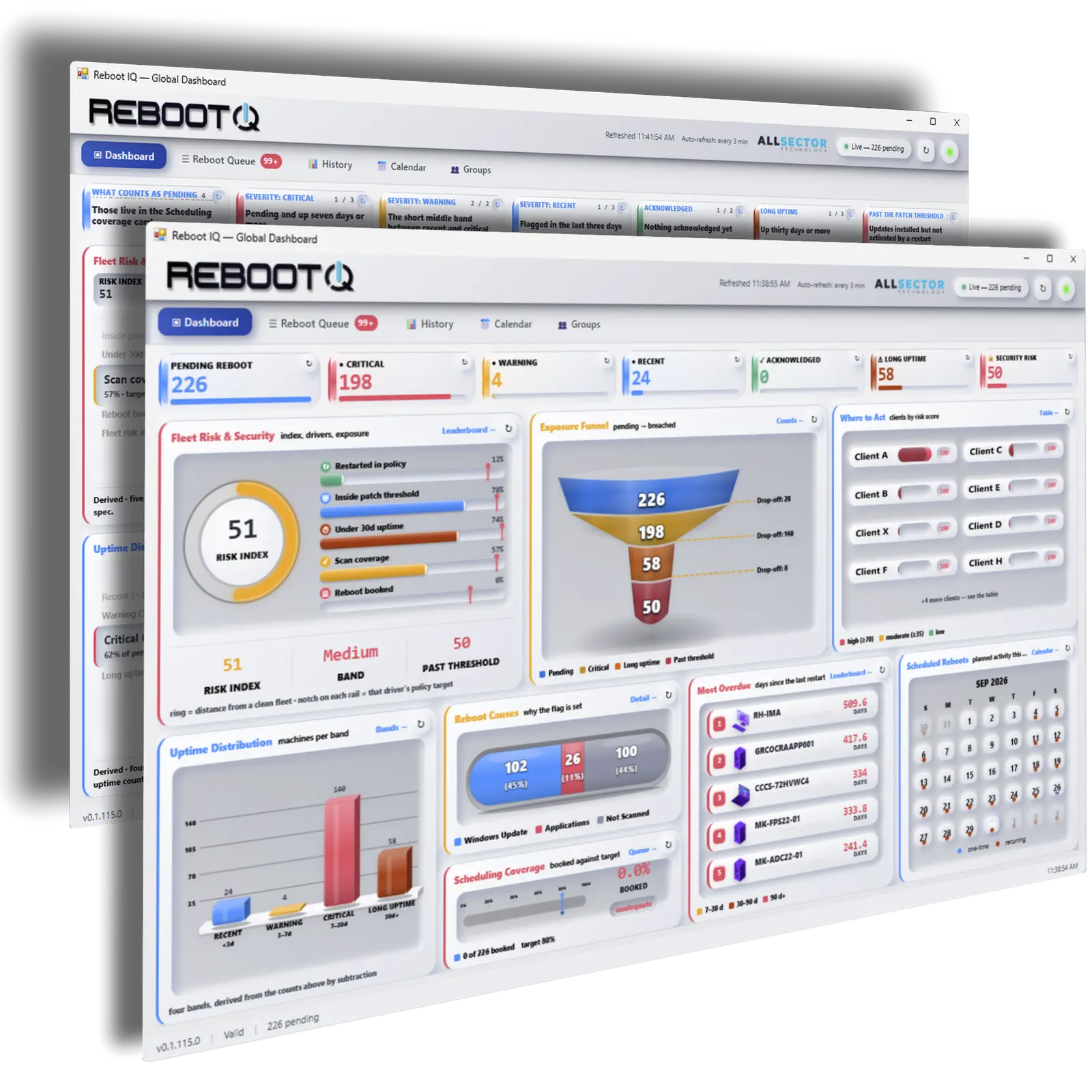
Global, company, and location scope in the same dashboard. Pending, critical, warning, and security-risk counts stay tied to the machines underneath them.
The working list of machines still pending a restart. Sort it, open a machine, and act without leaving Control Center.
History records what ran, what was cancelled, and how the reboot was triggered — including CSV export for a client review.
A month view of scheduled reboots and projected recurring-policy occurrences, scoped the same way as the dashboard.
What the console can show
The figures in this section are example readings of metrics Reboot IQ is built to surface. They are not a customer benchmark and not hours of confirmed exposure.
Example · Restart Debt
36,482 endpoint-hours
awaiting completion of required maintenance across a sample fleet. How long endpoints remain in a restart-required state. Not “36,482 hours of active vulnerability.”
Example · Mean time to reboot
18.4 hours
Example mean time to reboot
41.7h → 18.4h ↓ 56% example improvement
Down from 41.7 hours in the prior example month. The 56% drop is an example calculation, not a customer result.
Example · Remediation completion
Uptime isn’t inherently bad. Unexplained uptime is. A long uptime is a reason to look — pending updates, deferred restarts, pending installers, stale services — not evidence that the machine is insecure.
Capabilities
14+ signals
Reboot IQ combines Automate's native state with 14+ additional reboot indicators so technicians can find systems a single flag can miss — including Windows Update, component servicing, pending file renames, and post-install markers.
Cause
Each machine shows a plain-English reason and how long it has been pending. Aging buckets and the security-risk list put the oldest exposure first.
Local time
A fleet set for 11 PM reboots each endpoint at its own local 11 PM. No shared UTC timestamp, and no timezone spreadsheet.
Policy
Client groups, maintenance windows, overdue auto-schedule, recurring daily, weekly, or monthly policies, and a stagger so a large group does not reboot in the same second. Alerts — and optional tickets — can open past a threshold and close when the reboot completes.
Audit
Calendar, history, and the audit log record who scheduled, cancelled, or forced a reboot, and why.
Co-Managed IT
Reboot IQ reads the client and location access already assigned in Automate. Every data-returning query is filtered by that access list. A restricted user cannot retrieve another client's rows through the plugin.
The same filter covers the dashboard, queue, history, calendar, audit log, and groups. Client IT can manage its own groups and policies when Automate access allows it.
SQL-level scopingPermission boundaries are enforced in the data query, not merely hidden in the interface.

Who it is for
Reboot IQ gives leadership visibility and engineers control.
Leadership
Engineering
Architecture
Reboot strategy
Routine updates can wait 24–72 hours where operations allow. That range is an operational choice, not a Microsoft mandate. Known-exploited items should not wait. See the restart policy and the guidance behind it.
Licensing
Licensed per ConnectWise Automate instance — not per technician seat and not per endpoint. Checkout asks for that server’s FQDN.
$24.99 / month
Best value
$249.99 / year
Save $49.89/year
FAQ
Reboot IQ is a native ConnectWise Automate Control Center plugin. It shows managed computers and servers that still need a reboot, explains why, and lets your team act and verify the result inside Automate.
That flag is a single signal and misses several real causes, including pending file renames, component-based servicing, domain join or rename operations, and post-install reboot markers. Reboot IQ evaluates 14+ signals and shows a plain-English cause plus how long the machine has been pending.
No. It is a Control Center plugin. Reboot now, user messages, and scheduled tasks go through the Automate agent already on the endpoint.
Yes. A schedule is evaluated in the target machine’s local time. Machines in different time zones set for the same clock hour reboot at that hour locally, not at one shared UTC instant.
Plugin-owned tables live in the Automate MySQL database on the customer's Automate server. Normal operation does not send client environment data to an AllSector cloud store.
History, the audit log, the calendar, and existing schedules stay viewable. New protected actions — scheduling, editing a schedule, an on-demand reboot, and saving group policies — are blocked until the license is renewed. A missing license behaves the same way.
Scheduling, groups, and audit detail live on Features. Data residency and permission scoping live on Security and architecture.

See the risk. Schedule the fix. Verify the reboot — inside ConnectWise Automate.