

Windows Update
The update is installed and still waiting on a restart.
Pending reboot detection
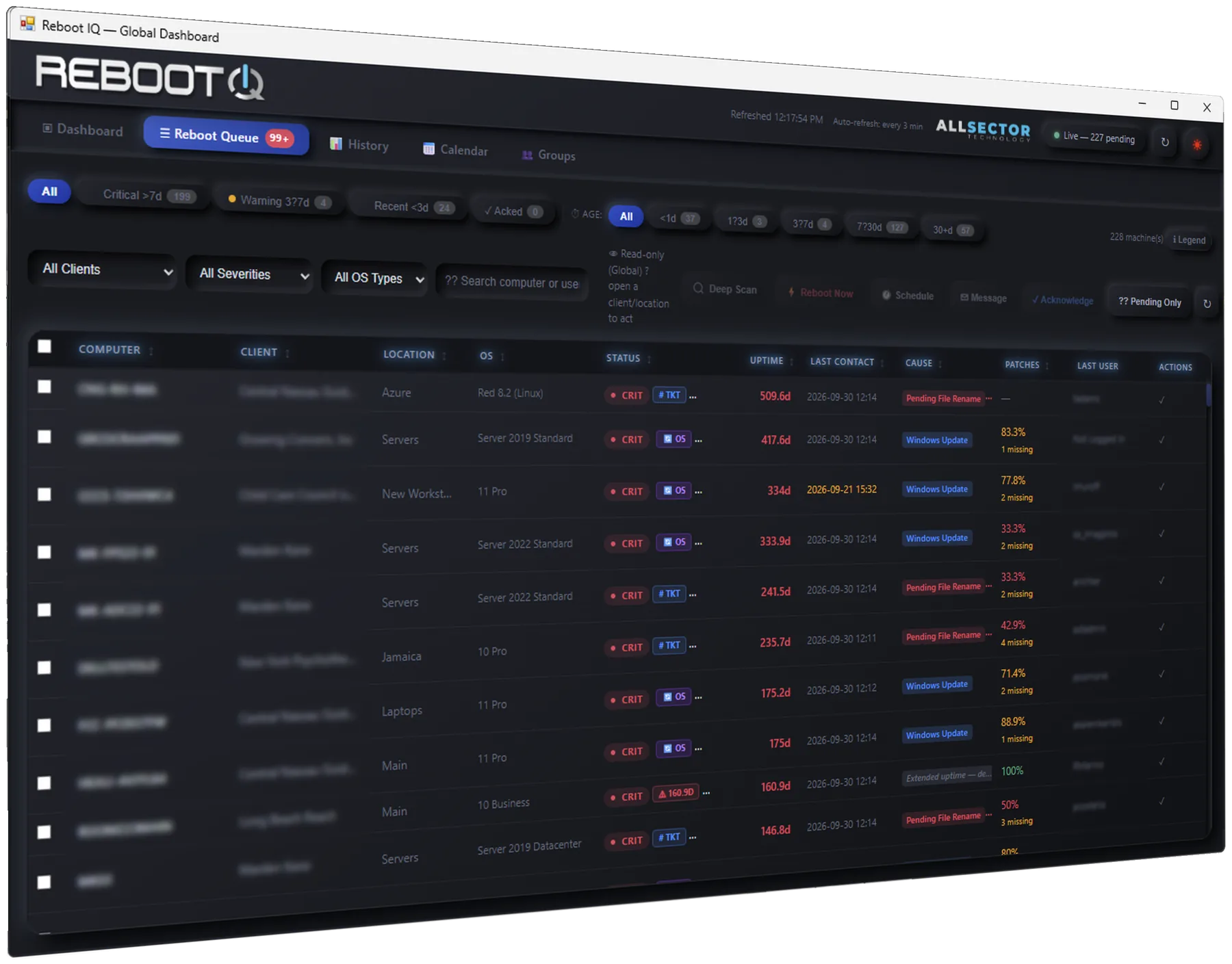
Reboot IQ combines Automate’s native state with 14+ additional reboot indicators, so a single PendingReboot flag is not the whole picture.
The queue is the working list. Sort it, open a machine, and act without leaving Control Center.
Why a pending reboot stays visibleCause
Each machine shows a plain-English reason and how long it has been waiting. Aging buckets put the oldest wait first.
The update is installed and still waiting on a restart.
A servicing stack change has not finished until the reboot.
Files are staged to replace on the next start.
The join completed in the directory and still needs a restart.
An installer left a reboot marker the native flag can miss.
Local time
A fleet set for 11 PM reboots each endpoint at its own local 11 PM. No shared UTC timestamp, and no timezone spreadsheet.
Eastern endpoints restart on their own clock.
Central endpoints do not inherit another office’s hour.
The same policy travels across time zones.
Servers stay inside the window already agreed with the client.
A large group does not reboot all at once.
Policy
Group machines the way the MSP already works, then apply one restart policy.
Keep server restarts inside the hours the client already approved.
Overdue machines can be scheduled automatically instead of sitting in the queue.
Daily, weekly, or monthly policies continue after the first restart.
Audit
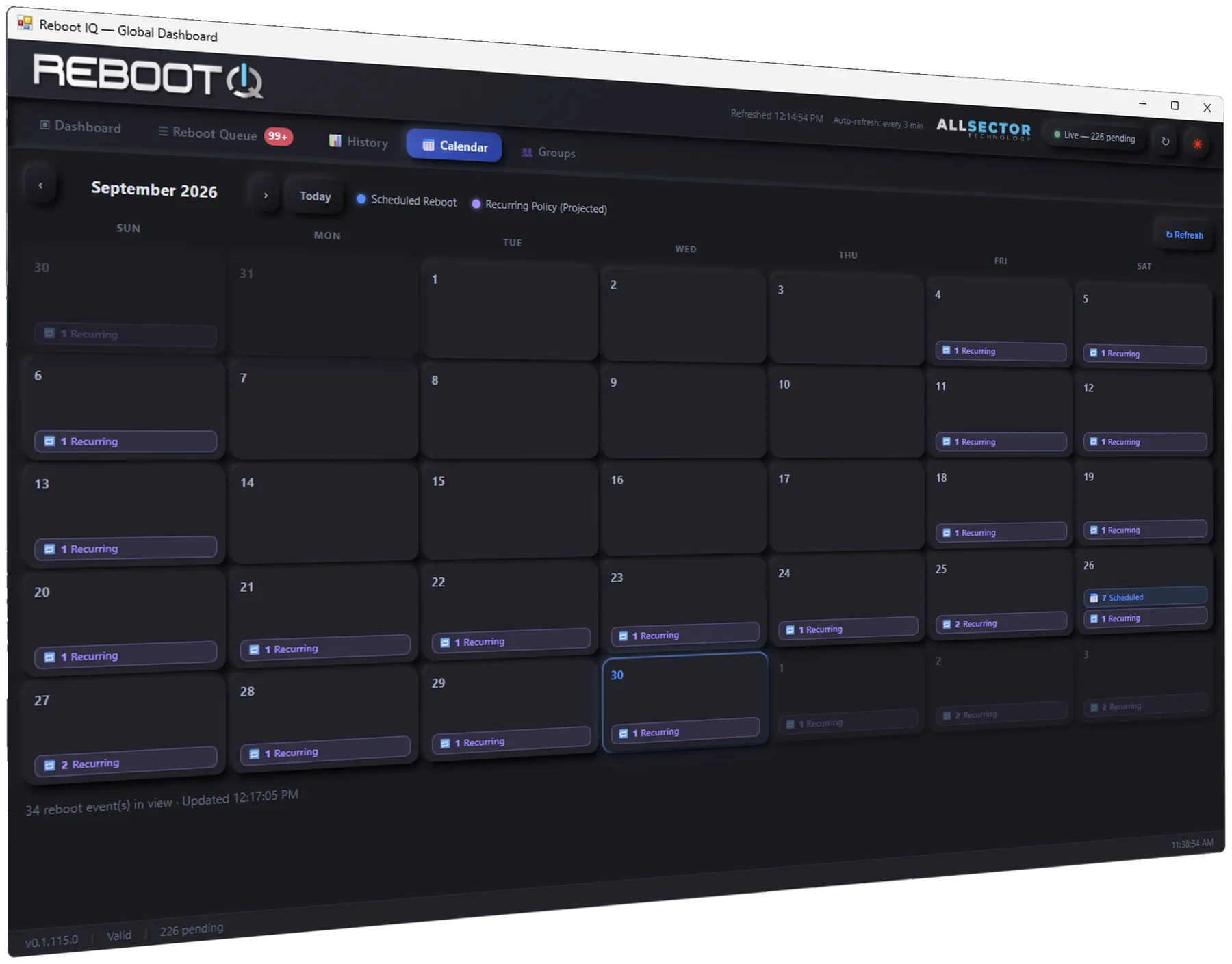
Calendar, history, and the audit log record who scheduled, cancelled, or forced a reboot, and why. History includes CSV export for a client review.
Alerts — and optional tickets — can open past a threshold and close when the reboot completes.
How permissions and data stay inside AutomateDetect, explain, schedule, and verify without a second endpoint agent.